A family week, handled by text
Every screen below is an actual SPARO session — the flyer that came in by text, where it landed, and what happened when plans changed.
About a minute, with music. Includes a real SPARO text exchange; the remaining names and schedules are demonstration data.
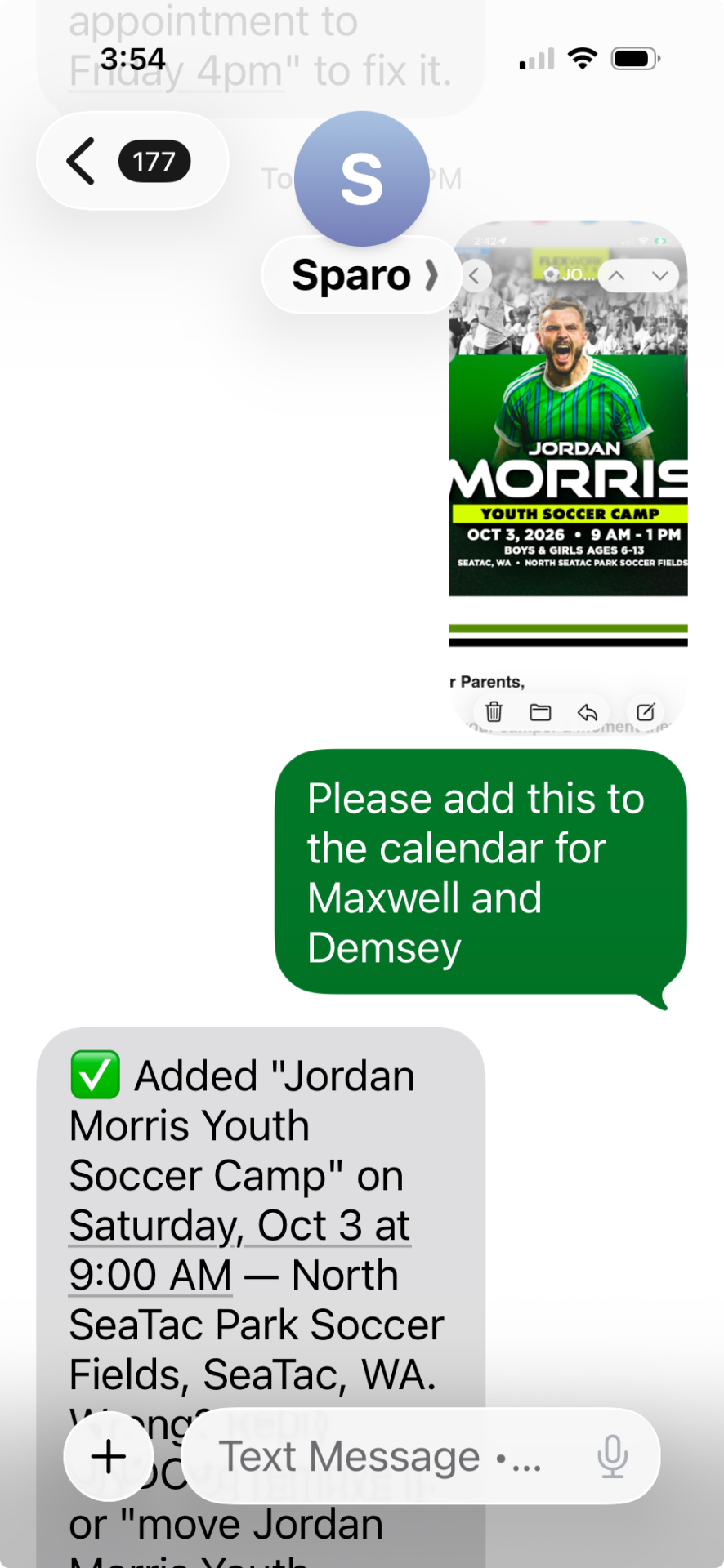
Text it a flyer
Forward the camp flyer with a note about who it's for. No app, no form — just a message.
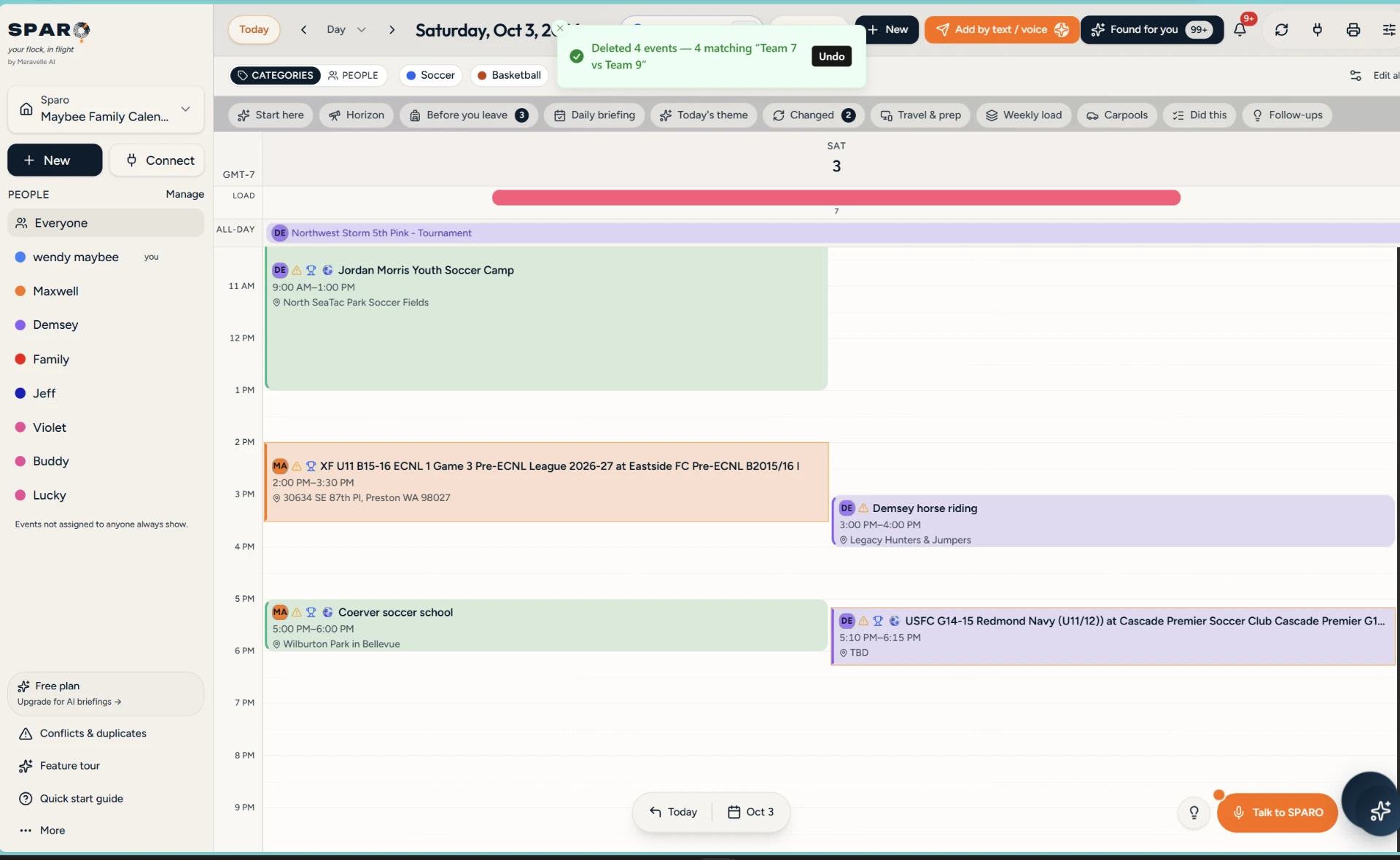
It's already on the calendar
Date, time, place and the right kids — added within seconds of the text, no typing.
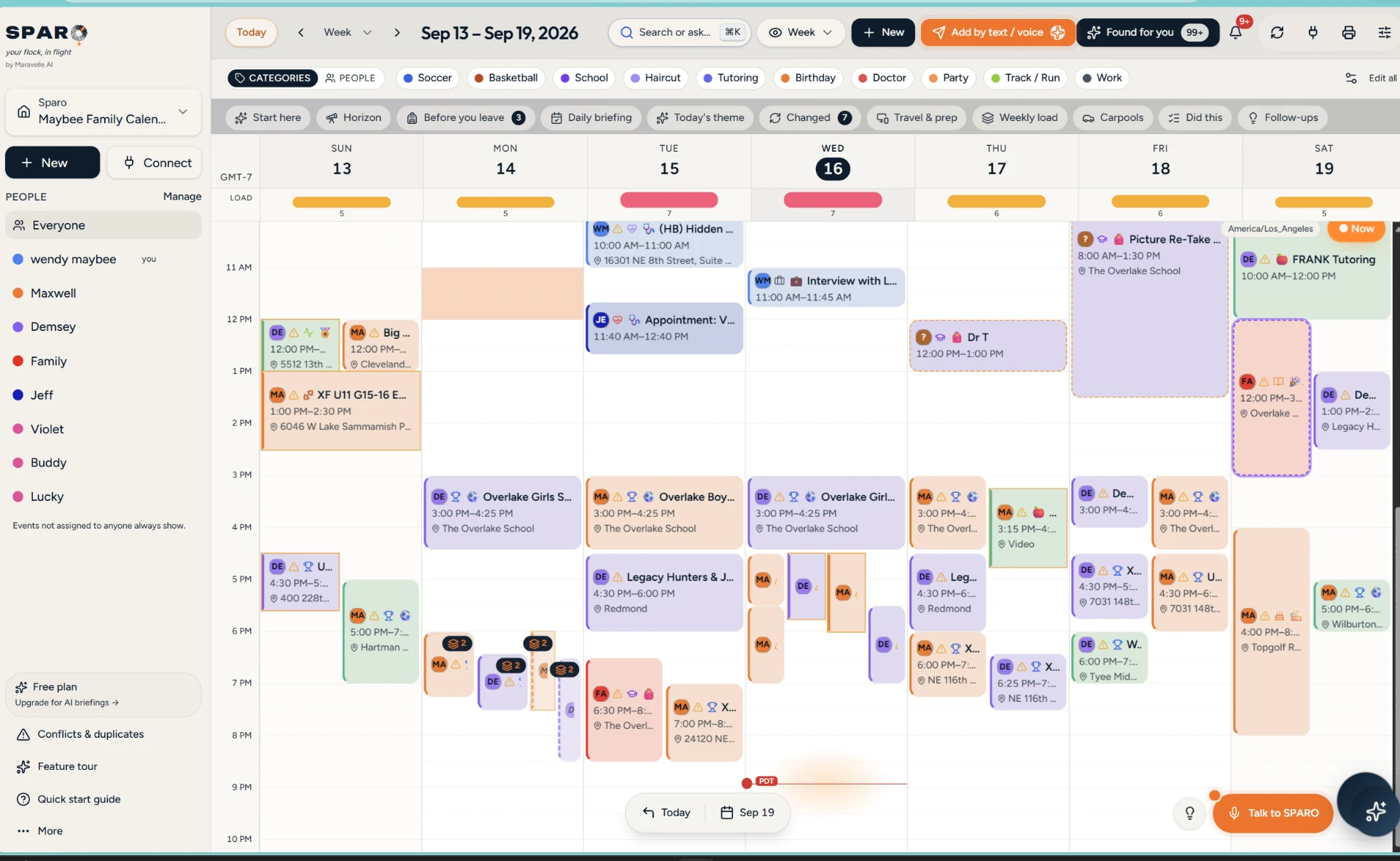
The whole family, one week
School, practices, work and appointments from every calendar in one view, color-coded by person with a load read on each day.
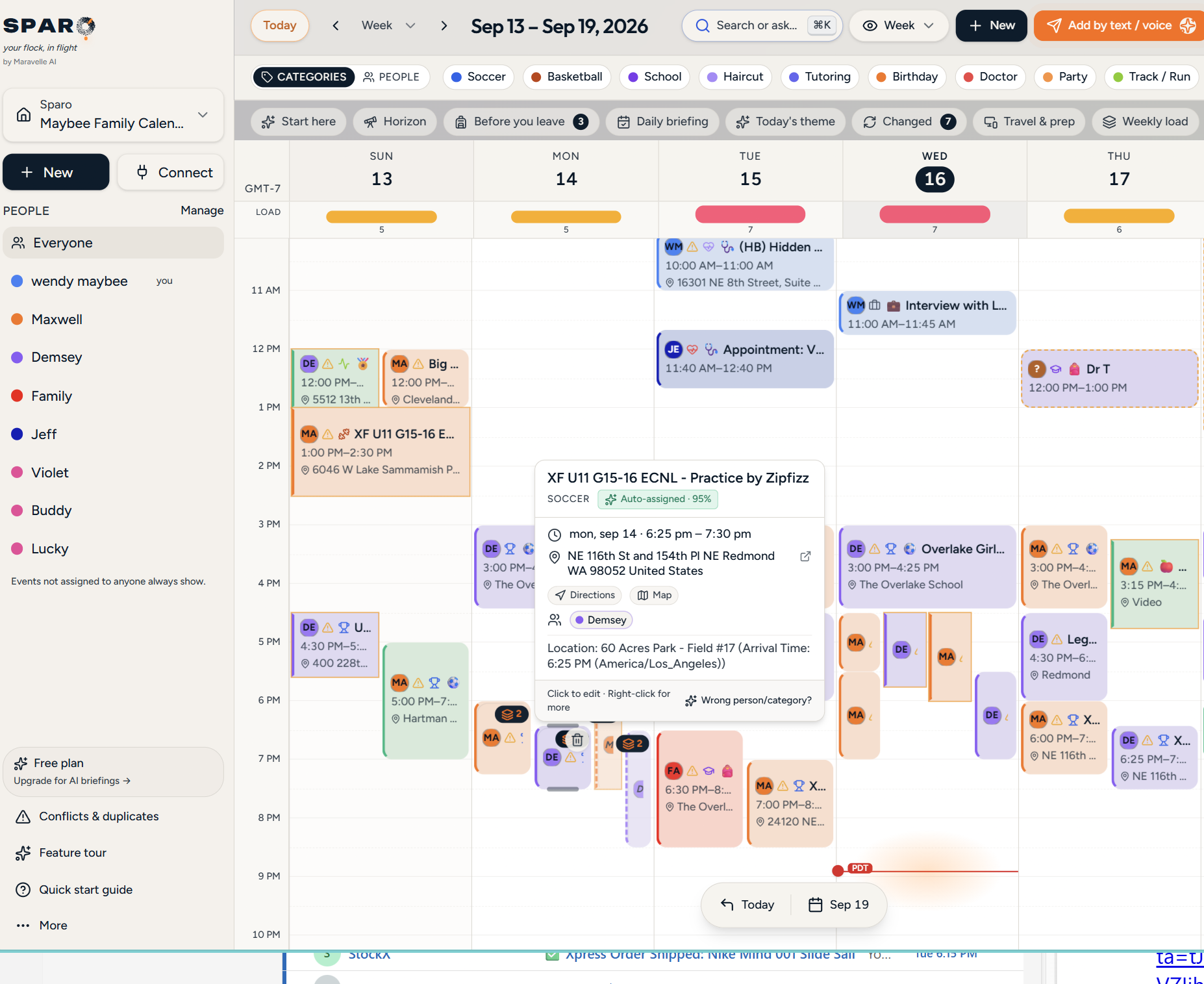
It knows whose event it is
Hover any event to see who it was assigned to and how confident SPARO is. Wrong guess? One click fixes it, and it learns for next time.
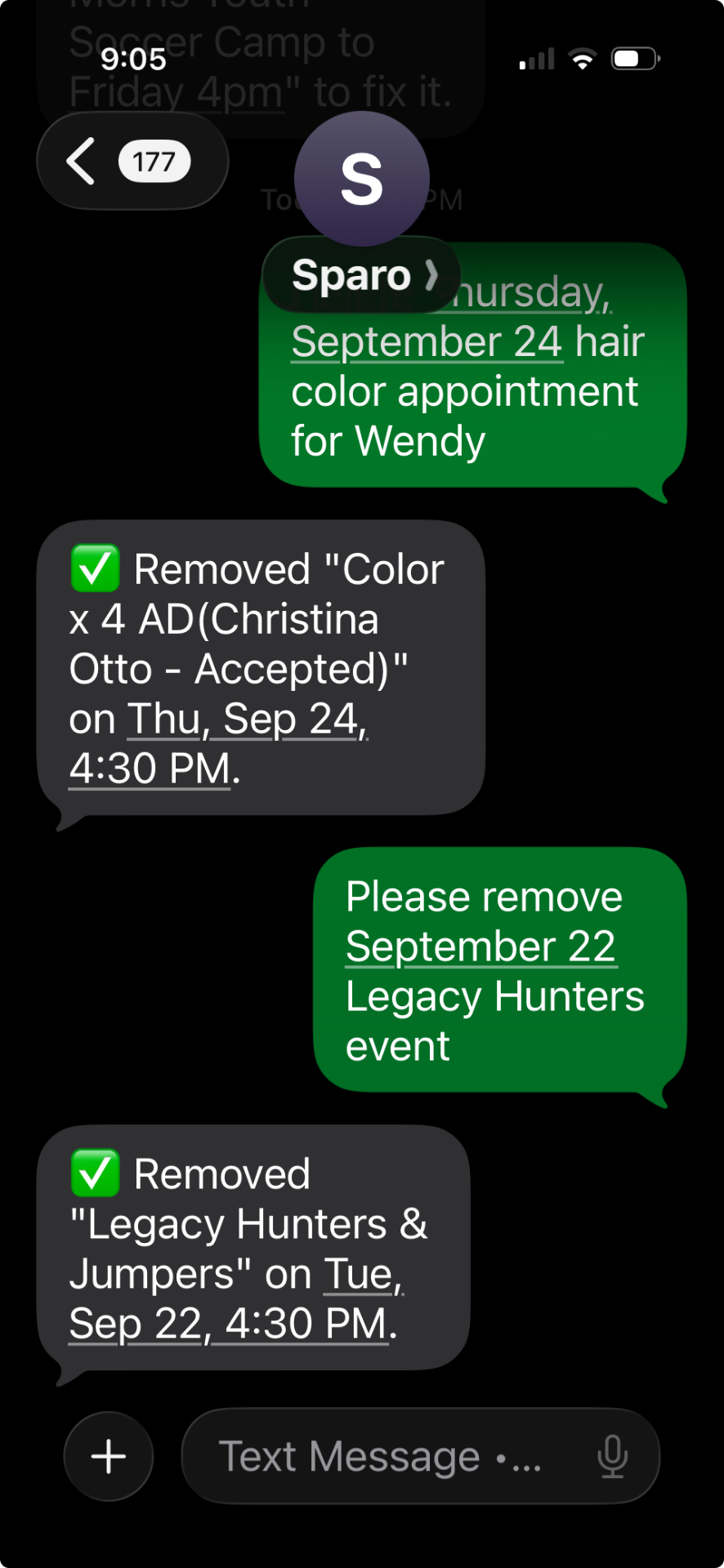
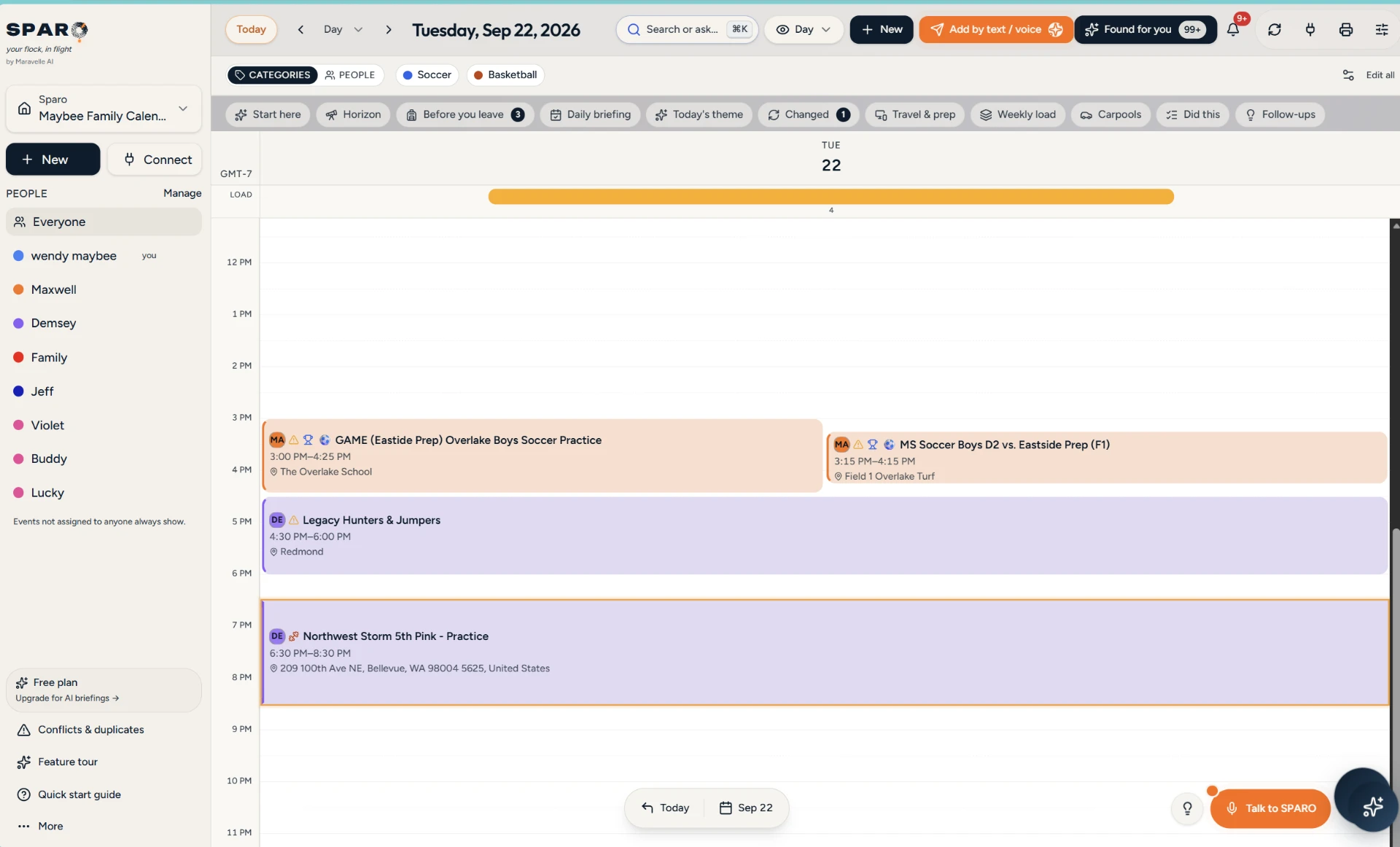
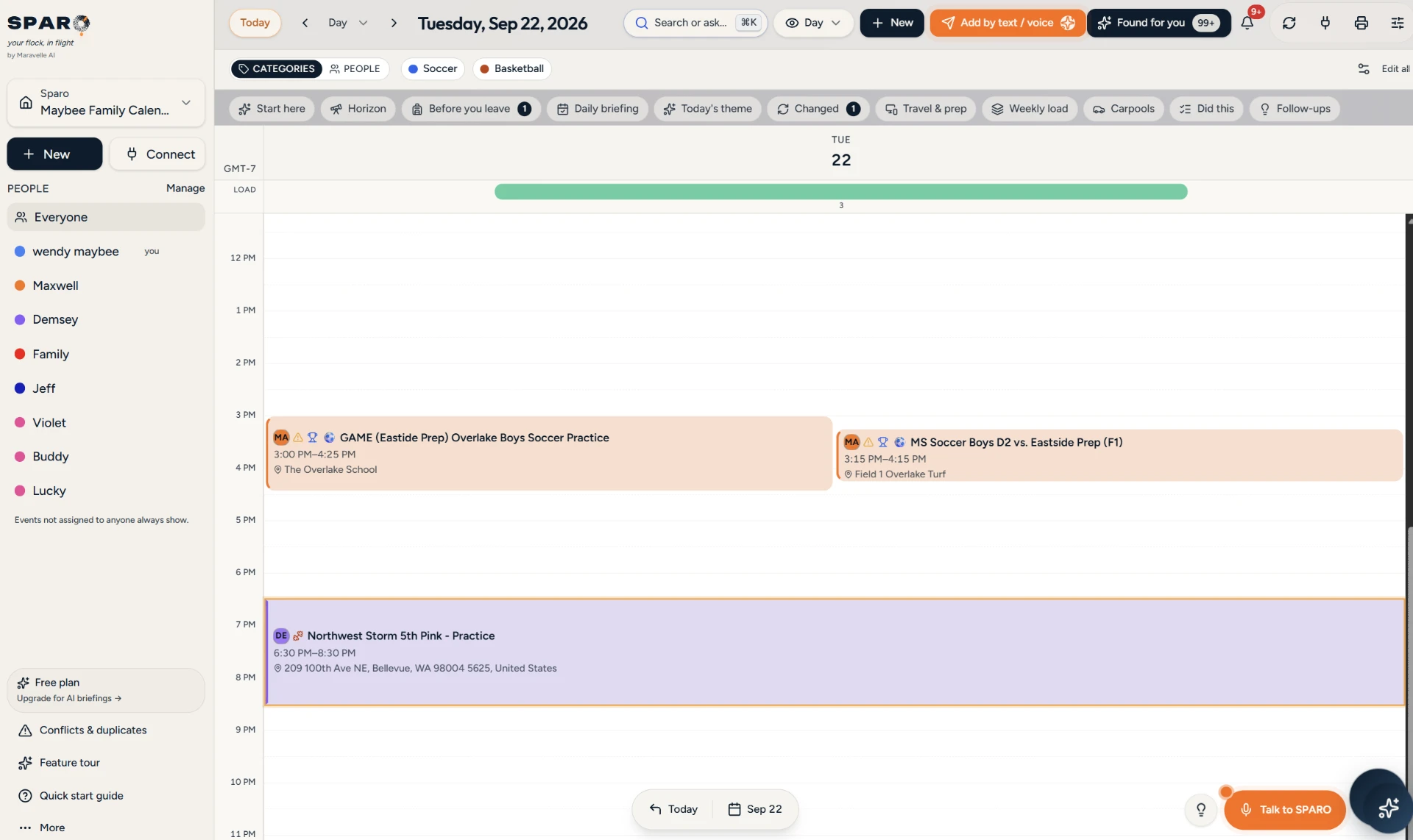
Plans change. Just say so.
Cancel, move or replace things in plain language. SPARO updates the calendar and tells you exactly what it changed.
Put your family's week together
Connect your calendars, text SPARO the rest. Free to start.